What is Indexing?
Indexing is the process where Alex:- Scans through all your code files
- Creates special embeddings for each file
- Stores these embeddings to quickly reference later
Why is it Important?
This indexing helps Alex:- Give you more accurate code suggestions
- Better understand the context when you ask questions
- Find relevant code examples from your own project
- Make smarter recommendations based on your actual codebase
Code Maps
Building on top of basic indexing, Alex now automatically parses your Swift project and constructs a “Code Map” for the files you are chatting about. This means Alex has an understanding of how files interact with each other, resulting in better code generation. When you start a chat, Alex:- Analyzes file dependencies and imports
- Maps class and type relationships
- Understands protocol conformances
- Tracks function calls between files
- Generate more accurate code suggestions
- Provide better refactoring recommendations
- Maintain consistency across related files
- Respect your project’s architecture
Code Maps are enabled by default for all chats, so you don’t need to do anything extra to get these benefits!
Managing Indexes
1
Access Index Management
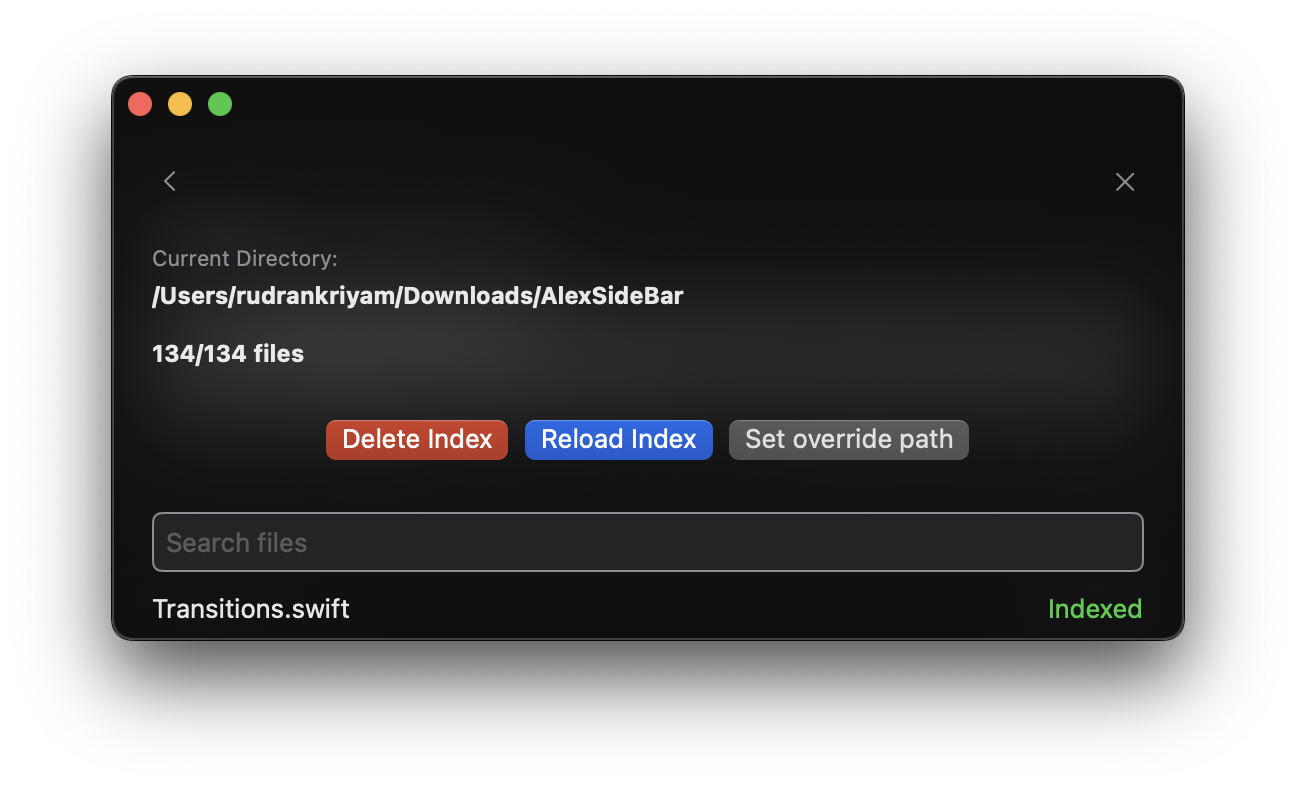
Open the “Indexed Files” section in Settings to access the indexing UI.Here you can:
- View all indexed files
- Check indexing status
- Manage existing indexes
- Add multiple folders for indexing
2
Adding Multiple Folders
To index additional folders beyond your main Xcode project:
- Under “Search Files”, click the “Additional Folders” collapsible button
- Click the plus (+) button to select a folder
- Choose the folder you want to index (e.g., server repo, Android repo)
- Click “Reload Index” to start indexing the new folder
- If Alex has difficulties with recognizing the folder, hit delete index and reload it. Or try restarting the app.
- Backend server repositories
- Android projects alongside iOS
- Shared libraries or dependencies
- Any other related code folders
3
Index Operations
The following operations are available:
- Reload Index: Initialize or refresh indexing for files
- Delete Index: Remove existing index data
- Add folders: Include additional directories for comprehensive indexing
Automatic Synchronization
Your codebase index automatically updates when:- Files are modified
- New files are added
- Files are deleted
- Git branches are switched